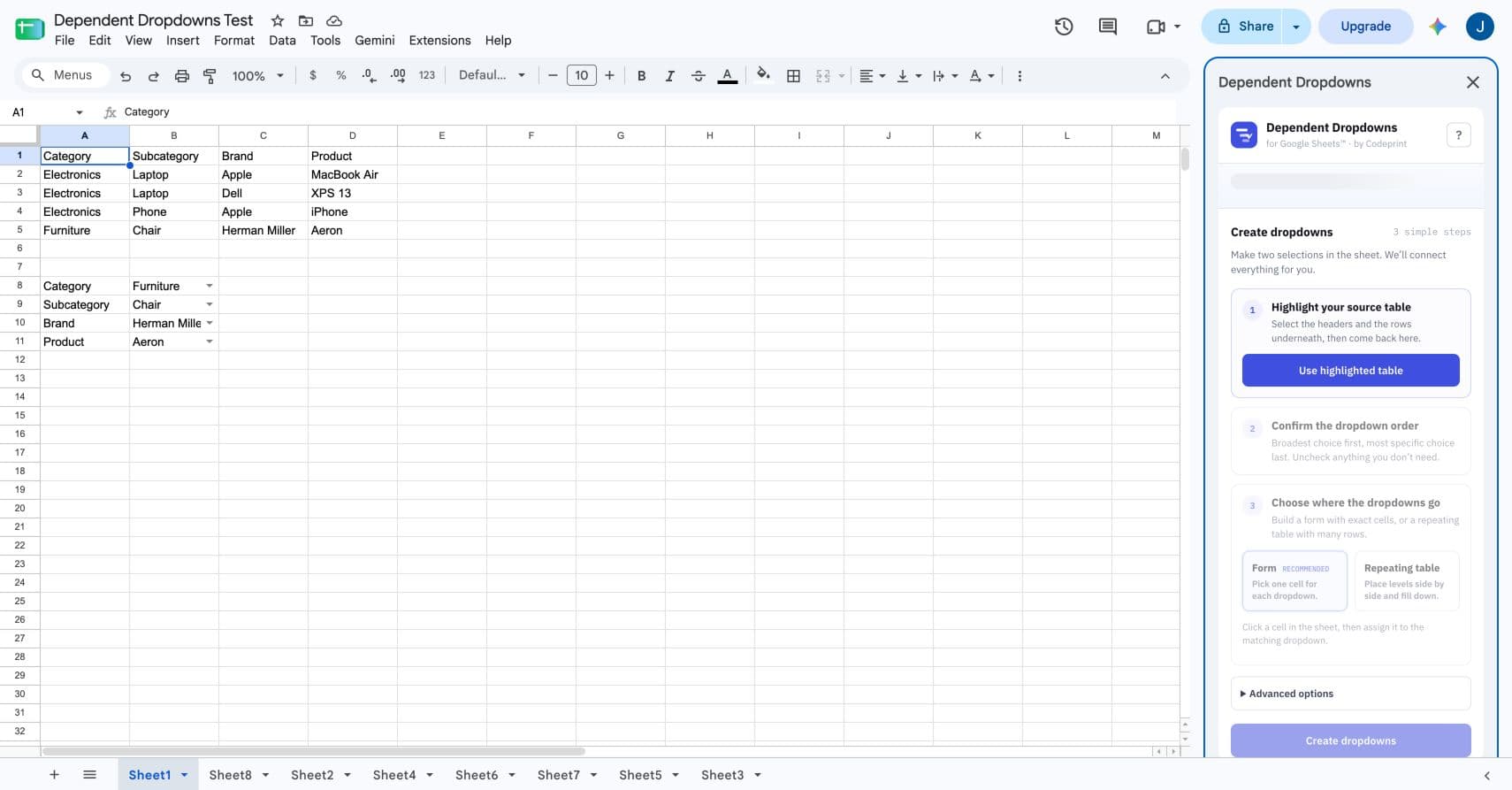
The quick answer
A dependent dropdown changes its available choices based on an earlier selection. If someone chooses Electronics, the next dropdown should offer Laptop and Phone—not Chair. You can build this manually with helper formulas and range-based validation, or let Dependent Dropdowns for Google Sheets™ create and maintain the rules.
Start with one flat source table
Put one valid combination on each row. Keep the broadest category on the left and the most specific value on the right.
| Category | Subcategory | Brand | Product |
|---|---|---|---|
| Electronics | Laptop | Apple | MacBook Air |
| Electronics | Laptop | Dell | XPS 13 |
| Electronics | Phone | Apple | iPhone |
| Furniture | Chair | Herman Miller | Aeron |
Repeated parent values are expected. They are what tell the next dropdown which child values belong together.
Choose the method that matches the job
Best for one small form
Transparent and free, but you maintain helper formulas and validation ranges yourself.
Best for custom behavior
Flexible, but you own the code, triggers, error handling, and performance.
Best for a maintained setup
Choose your source, levels, and output cells. The add-on handles the rules and recovery.
Manual method: FILTER into helper ranges
Google Sheets data validation expects a range of cells. A formula cannot be entered directly as the dropdown range, so the formula must output its options somewhere in the spreadsheet first.
- Create a sheet named Lists.
- Place the parent dropdown in Orders!B2 and the child dropdown in Orders!C2.
- Generate the parent options in Lists!A2.
- Generate the matching child options in Lists!B2.
- Point each validation rule at the corresponding output range.
=SORT(UNIQUE(FILTER(Catalog!A2:A,Catalog!A2:A<>"")))=IF(Orders!B2="","",SORT(UNIQUE(FILTER(Catalog!B2:B,Catalog!A2:A=Orders!B2))))Verified against: Google’s FILTER documentation and the Google Docs Editors Help explanation of validation ranges.
Faster method: use the guided sidebar
- Highlight the source table, including headers.
- Choose the hierarchy columns in parent-to-child order.
- Choose Form for exact cells or Repeating table for entry rows.
- Select the destination cells and press Create dropdowns.
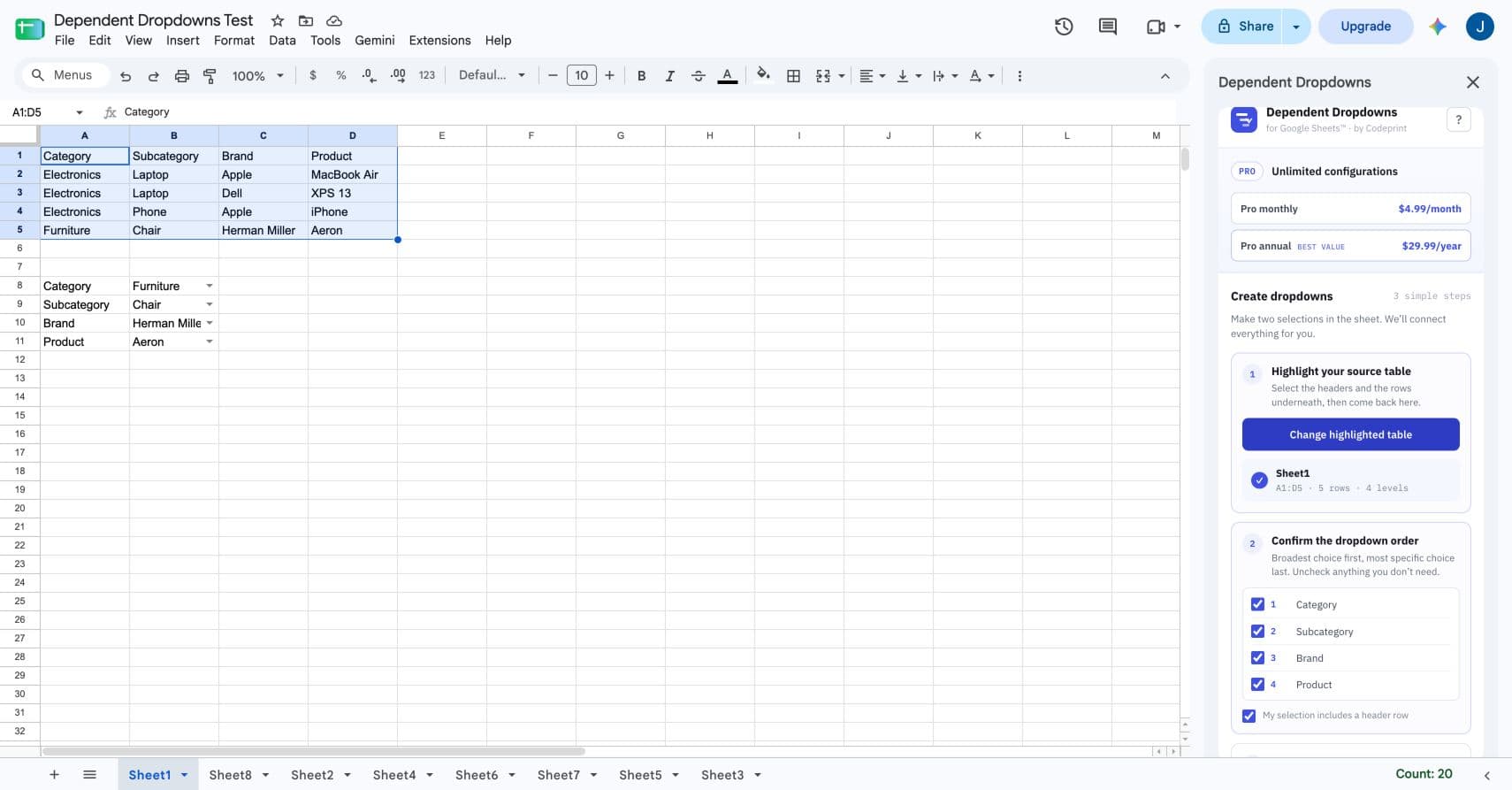
The add-on keeps ordinary dropdown edits inside Google Sheets. Spreadsheet values and dropdown choices are not sent to Codeprint.
Pick Form or Repeating table
Form
Assign one exact cell to each level. Good for Make → Model → Trim, request forms, quote builders, and compact lookup panels.
Repeating table
Choose a starting cell or a selected row range. Good for orders, inventory, expenses, CRM records, and any list with many independent entries.