Prepare the source table
Create one row for every valid Category → Subcategory → Brand → Product combination. Include headers and avoid merged cells inside the source range.
| Category | Subcategory | Brand | Product |
|---|---|---|---|
| Electronics | Laptop | Apple | MacBook Air |
| Electronics | Laptop | Dell | XPS 13 |
| Electronics | Phone | Apple | iPhone |
| Furniture | Chair | Herman Miller | Aeron |
Open the add-on
If you have not installed it yet, install Dependent Dropdowns for Google Sheets™ from Google Workspace Marketplace.
- Choose Extensions in Google Sheets.
- Choose Dependent Dropdowns for Google Sheets™.
- Press Open.
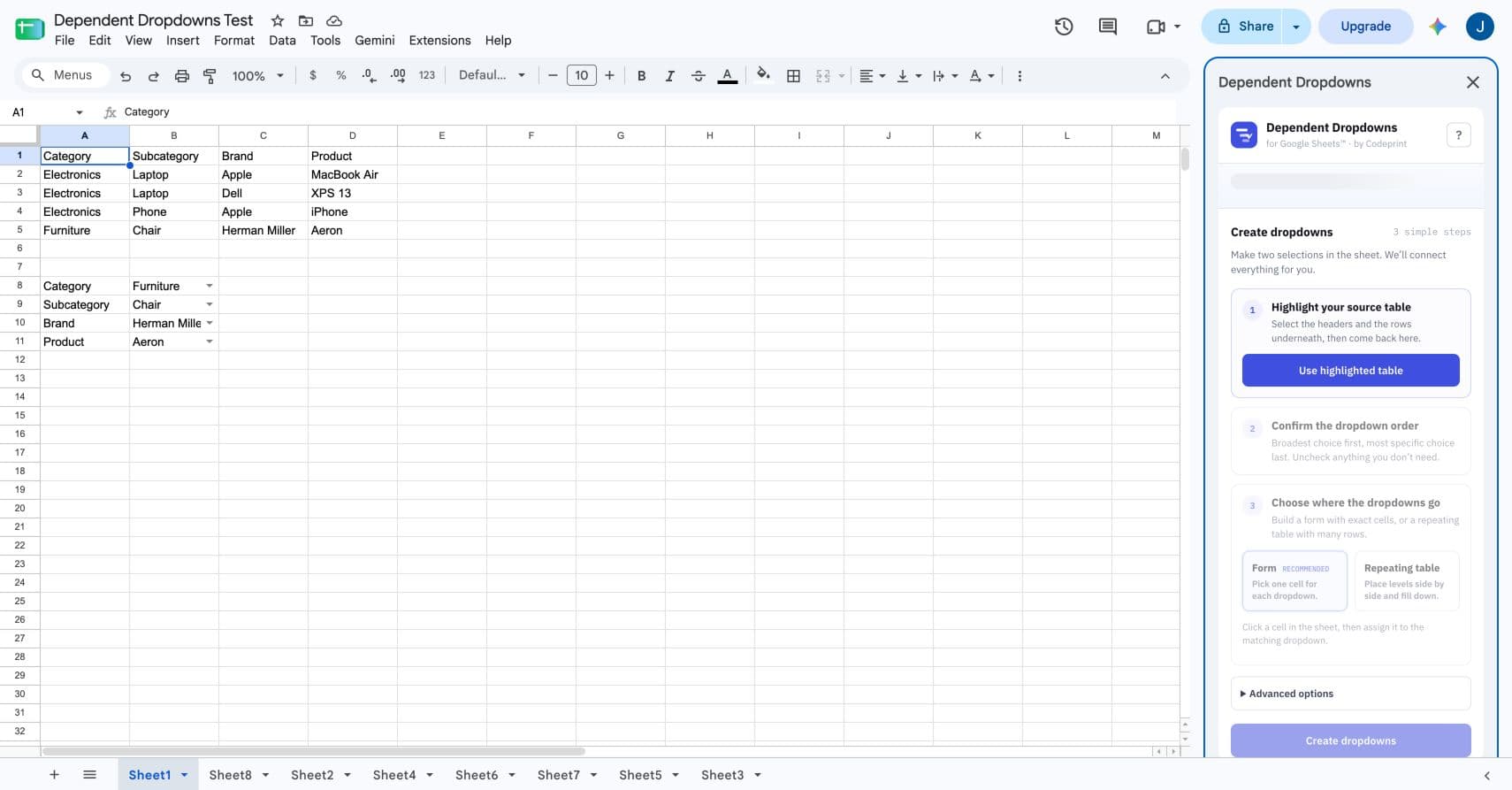
Highlight the source table
Select the headers and populated rows, return to the sidebar, and press Use highlighted table. The sidebar shows the sheet, range, row count, and detected columns before anything changes.
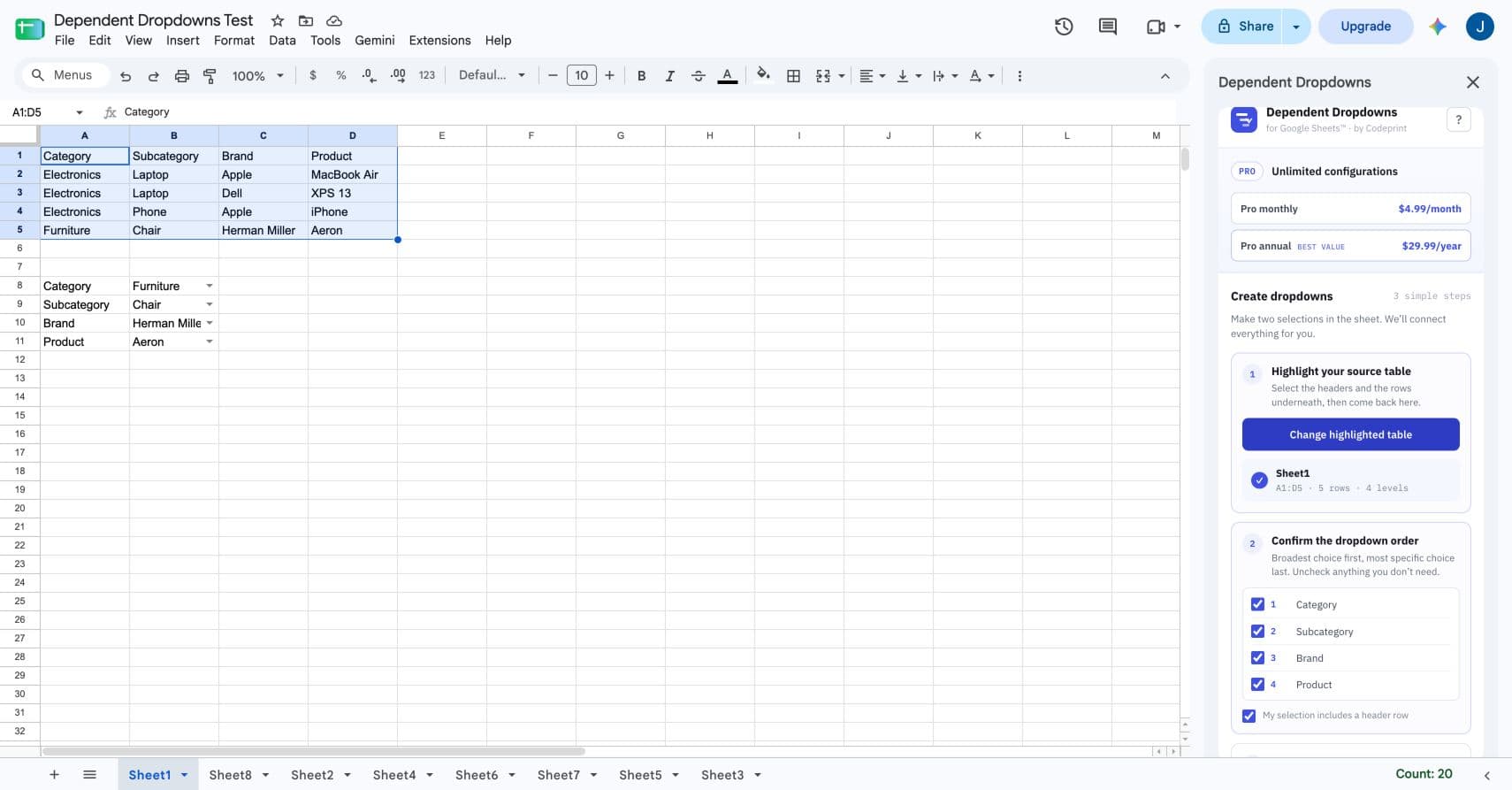
Confirm the dropdown order
Put the broadest choice first and the most specific choice last. Uncheck any source column that should not become a dropdown. Between two and five levels are supported.
Choose where the dropdowns go
Use Form to assign one selected cell to each level. Use Repeating table to place the levels side by side and fill them down a selected range.
Create and test the hierarchy
- Press Create dropdowns.
- Choose a parent value.
- Open the next dropdown and confirm it contains only matching children.
- Change the parent and confirm an impossible downstream value clears.
Repair restores removed or changed validation rules. Pause stops automatic cleanup. Deleting a configuration preserves entered cell values and asks separately whether its validation rules should be removed.